
All guides
Get started
Build your menu
Tables and QR codes
Your guests
When something's off
Tables, QR codes and printing
Make a QR code for your menu or for every table, design table tents, stickers and posters in the Print Studio, and print them at home or at a print shop.
Updated November 11, 2026
Guests open your menu by scanning a QR code with their phone camera. Make one code for the whole venue, or one per table so guests see their table number on the menu and on the list they show the waiter. Open the venue, then Tables & QR.
Add your tables
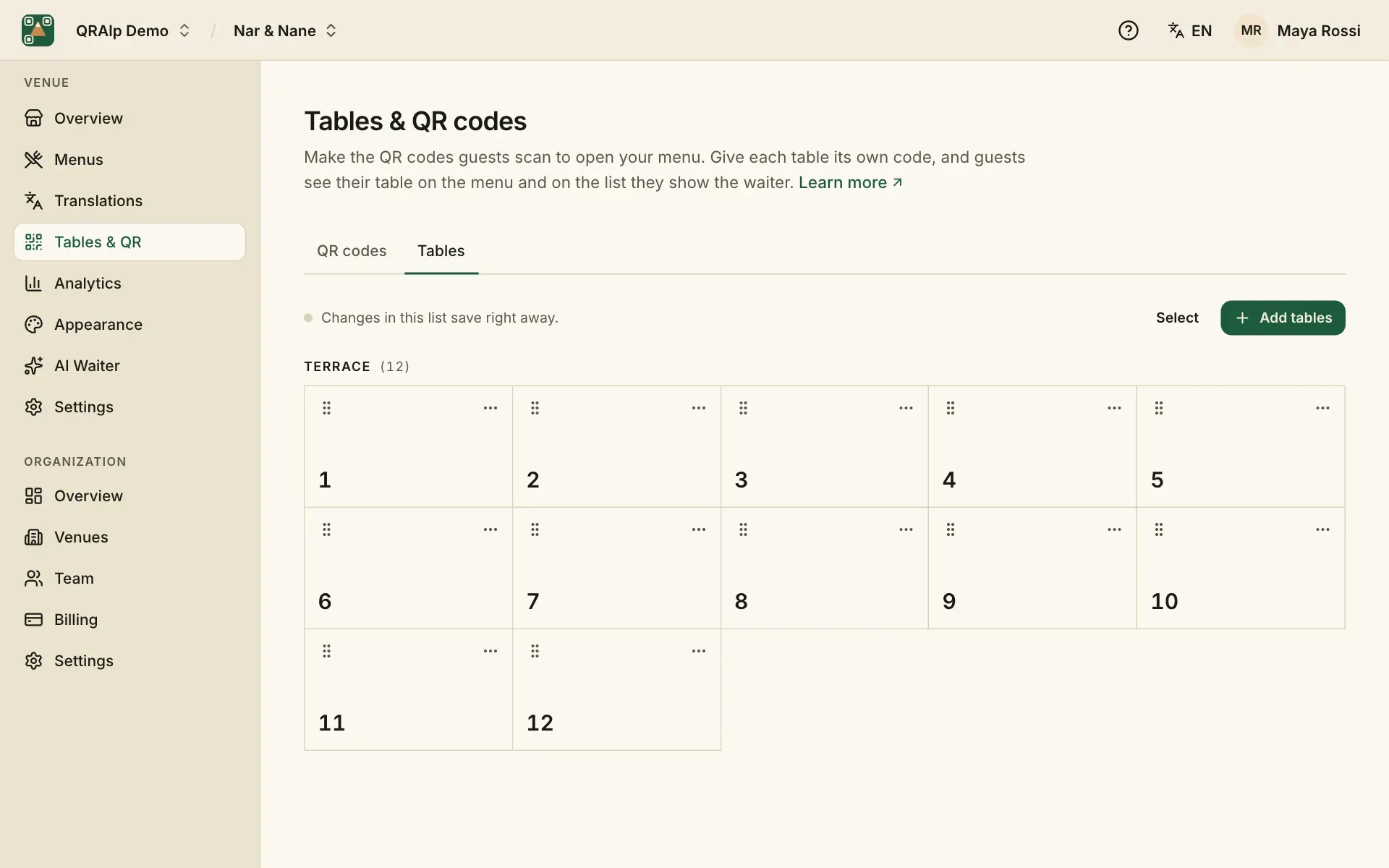
On the Tables tab, choose Add tables and give them names like 1 to 12, or “Terrace 3”. Guests see “Table 12” on the menu. Each table gets its own code.
A table marked Not in use is left out when you print codes for every table, but its code keeps working.
Make a plain QR code
The QR codes tab makes a plain code to download: PNG for screens and documents, SVG for printers and designers. Choose what it opens (all menus or one, a language, a table), its dots and colors, and your logo in the middle.
QRAlp checks every code: Scans well means it’s safe to print. Dark dots on a light background scan best, and a code should be printed at least 2.5 cm (1 in) wide.
Design table tents and stickers
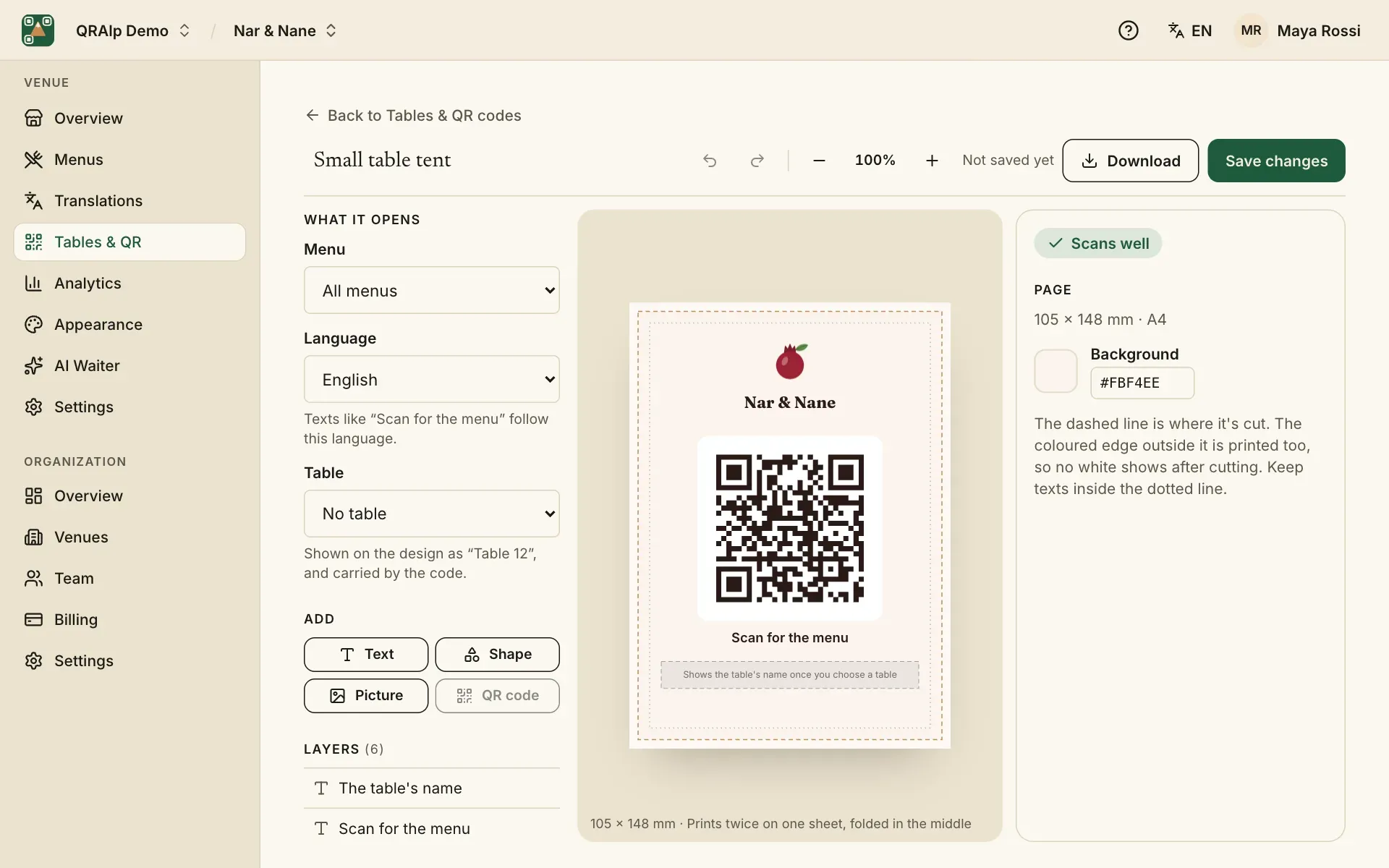
Under Start a new design, on the same tab, pick a design to open it in the Print Studio. Each starts in your menu’s colors, fonts and logo: table tents, stickers, a badge, a poster, a window sign and a business card. Change the texts, move things around, add shapes or pictures.
Texts like “Scan for the menu” follow the language you pick, and the table’s name fills in by itself.
Print for every table
For several tables… makes one design for many tables, each with its own code and name:
- Sheets to cut: several to an A4 or US Letter page, with crop marks, for your own printer.
- One PDF, a page per table: with bleed and crop marks, for a print shop.
- A ZIP with a file per table, named after the table.
Download the file, or email it to yourself and to a print shop. Files up to 10 MB come attached; bigger ones as a link that works for 7 days.
Codes keep working
A printed code always leads to your menu: when you change your menu, rename your link or edit dishes, you don’t need to print again. Under Printed you see every code you downloaded.