
All guides
Get started
Build your menu
Tables and QR codes
Your guests
When something's off
Understand your menu's analytics
See how guests use your menu: visits, peak hours, the dishes they open and add to their list, tables, languages, searches and what they ask the AI Assistant.
Updated November 11, 2026
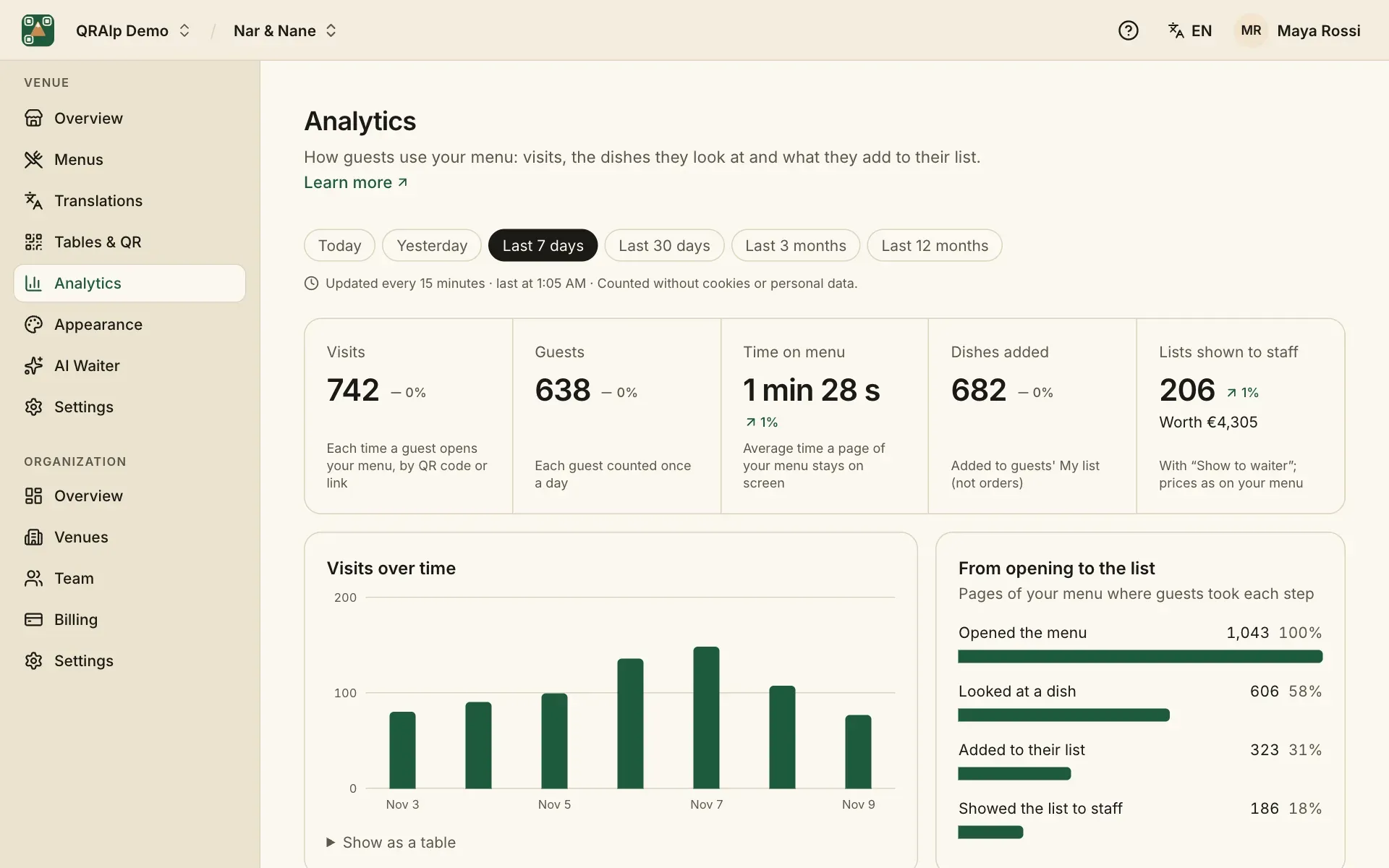
Analytics shows how guests use your menu, so you can see which dishes catch their eye and when you’re busy. Numbers start once your menu is live and update every 15 minutes.
Visits and peak hours
Pick a period, from today to the last 12 months. You see visits over time, compared with the period before, and a grid of peak hours by weekday, in your venue’s time.
From opening to the list
From opening to the list shows how many guests opened your menu, opened a dish, added something to My list and showed the list to your staff.
Dishes
Dishes most opened and most added, the ones rising, and the ones guests overlook. Added together shows dishes chosen together: an idea for a combo or a set menu.
Tables, guests and searches
- Tables: visits from each table’s code, and the lists shown there.
- Guests: languages, countries and devices.
- Missed demand: what guests wanted but your menu couldn’t give them, like a language you don’t offer or a search with no result.
- Search terms: what guests typed into your menu’s search.
- AI Assistant: the topics guests asked about, and questions it couldn’t answer.
Privacy
Guests are counted without cookies or personal data. Nothing is stored on their phone, and what they type to the AI Assistant is never kept: only its topic and a few words.