All guides
Get started
Build your menu
Tables and QR codes
Your guests
When something's off
The AI Waiter
Set up the AI Assistant that answers guests' questions about your menu in their own language: its name, tone, what it knows, and how to try it first.
Updated November 11, 2026
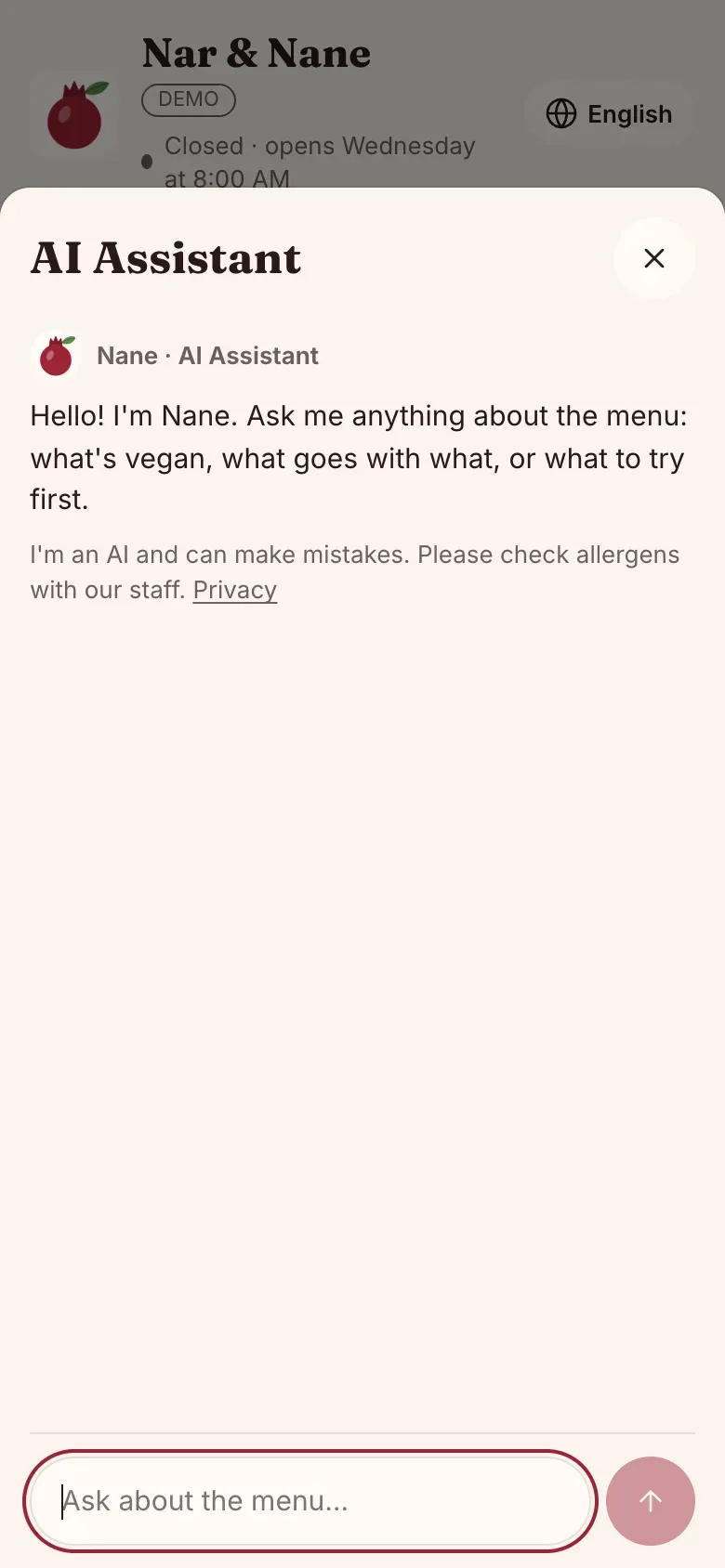
The AI Waiter answers your guests’ questions about your menu, in their own language, like a helpful waiter would. On your menu it’s always labeled “AI Assistant”, so guests know they’re talking to an AI. Open the venue, then AI Waiter.
Switch it on
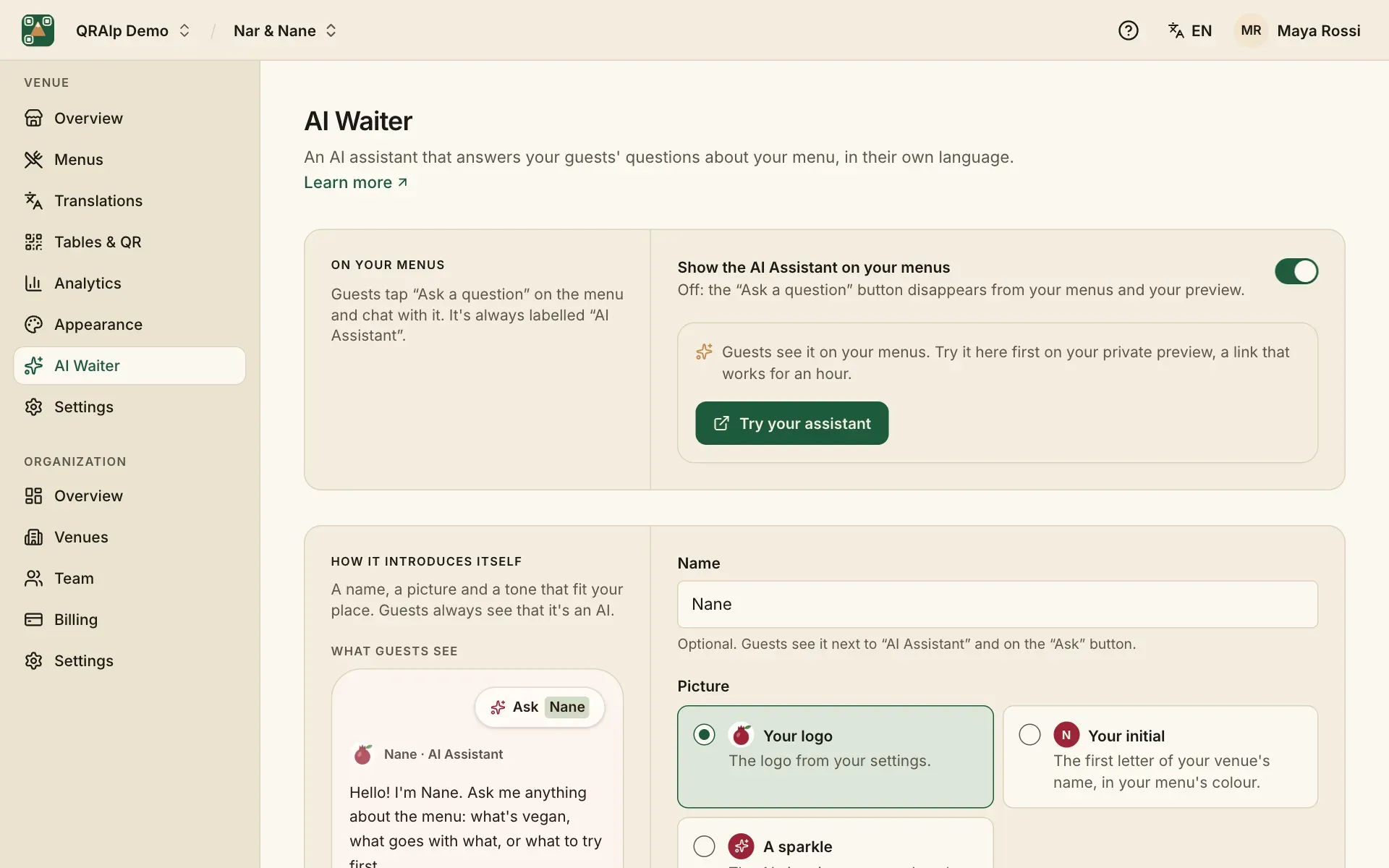
Turn on Show the AI Assistant on your menus. Guests then see an “Ask a question” button on your menu. Turn it off at any time and the button disappears.
How it introduces itself
Give it a name if you like (guests see “Ask Nane”), a picture (your logo, your initial or a sparkle) and a tone: friendly, formal or playful. Its greeting is the first thing it says; leave it empty for a standard greeting in each guest’s language.
What it knows
It answers from your menus and your venue’s details, the same things guests see: dishes, prices, allergens, hours, address, Wi-Fi and your questions and answers. Under What else it should know, add anything else, like “Dogs are welcome on the terrace”. Guests don’t see this text.
It doesn’t take orders or payments, and it reminds guests to check allergens with your staff.
Suggestions
With Suggest dishes that go well together on, it may mention a dish that goes well with what a guest picked, at most once in a conversation. Guests can add a dish it shows to My list.
Try it first
Try your assistant opens your menu on a private preview link that works for an hour, with the assistant ready. Ask it what your guests would ask.