
All guides
Get started
Build your menu
Tables and QR codes
Your guests
When something's off
Your team and their access
Invite your staff, choose who is an owner and who is a member, and give members access to every venue or only the ones they work at.
Updated November 16, 2026
Everyone who works on your menus can have their own sign-in, at no extra cost. Open Team in the side menu, under your organization.
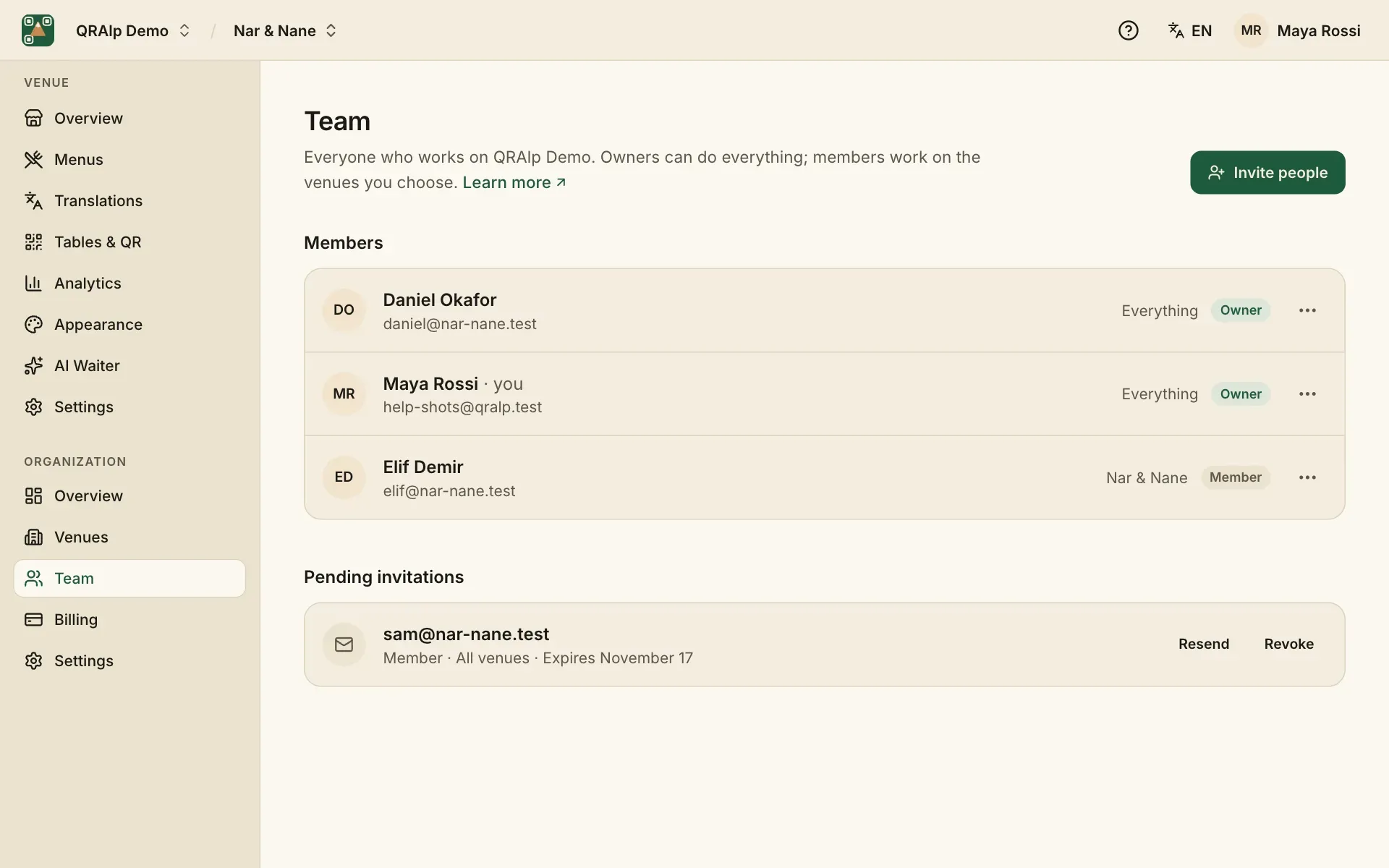
Owners and members
- Owner: can do everything: venues, team, billing and settings.
- Member: works on the venues you choose. Can’t change the team, billing or settings.
Invite people
Choose Invite people, type their email addresses (up to 20 at a time), pick a role and their venue access. They get an email with a link to join, usually within a minute. An invitation works for 7 days; you can send it again from Pending invitations.
Choose their venues
A member sees All venues, including venues you add later, or only Selected venues. To change it, open the member’s menu on the Team page and choose Change venue access.
Change a role or remove someone
From the same menu, Make owner or Change to member. Remove from team takes away their access right away; you can invite them again later.